Electric Objects · EO1 & EO2

The frame didn’t fail. The service behind it did.

These are wall displays that spent their working lives showing whatever a server told them to. That server is gone. This is replacement Android software for the board inside the glass, so the pictures come from you now: files you drop onto the frame over your own network, a library you host yourself, or a web page you point it at — merged into one rotation, on a schedule you set.

Nothing in this app contacts a host you did not put into its configuration.
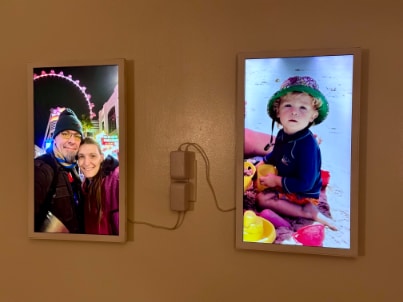
Two Electric Objects frames mounted side by side on a warm plaster wall, each showing a family photograph.
Two frames, running. One LAN, no account.
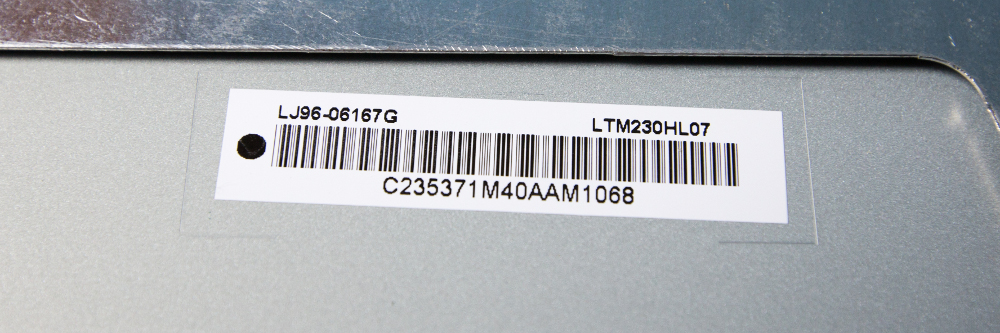
Close-up of the label inside the frame: two barcodes and the panel part number LTM230HL07.

LTM230HL07 — the sticker on the back of the panel. A 1920×1080 LCD mounted sideways, which is why an EO1 shows 1080×1920 and why a landscape video arrives cropped rather than letterboxed.

What is on the label

Object
Electric Objects EO1 / EO2, Geniatech hardware, Android 4.4.2 inside
Software
replaced end to end. Java only, API 19, no Kotlin, no ExoPlayer
Sources
local uploads · Immich 3.x · a Flickr stream · web pages, in one shuffled pass
Playback
Amlogic TsPlayer, platform MediaPlayer as the fallback
Still limits
jpg png gif webp bmp dng — not HEIF, not AVIF
Video limits
H.264, longest side 1920, 1080p30, under 15 Mbit/s, muted
Storage
about 800 MB usable, 1 GiB per file, nothing transcoded on device
Trust
the ROM’s roots date from 2013, so current ones ship in the APK
Controls
two soft keys on EO1, and a web page the frame serves itself on port 80, else 8080
Schedule
an interval in minutes, and quiet hours written as cron expressions
Recovery
re-rotate, redraw, repair Wi-Fi, restart the app, reboot — the last one only if you allow it
Builds
made and signed locally, published at Releases

Three ways a picture gets there

01

Files you upload
to the frame

Needs nothing No server, no account, no password, no certificate — the frame holds the files and serves its own web page to receive them. This is the source that keeps working when everything else is switched off.

02

An Immich
server you host

Needs Immich 3.x Login is an account’s email and password; there is no API key. The frame rotates everything that account can see, and it can carry several frames from several servers at once. A server you do not run is a source you do not control.

03

A Flickr
stream you own

Needs a Flickr application key One key you applied for under your own account, one photostream or album named, and no server of yours. Public, Safe-flagged photos at 1024px or smaller — above that is Flickr’s rule about paying accounts, not this app’s limitation, and the frame says so rather than rotating a mystery subset.

04

A web page,
rendered fresh

Needs a URL One entry is one page, fetched again each time it comes up, in the browser that shipped with Android 4.4. Plan on a LAN dashboard or a deliberately legacy page, not a modern SPA.

What it asks of you

  • An EO1 or an EO2 with a living panel. They surface secondhand, and the one you already own is the cheapest one there is.
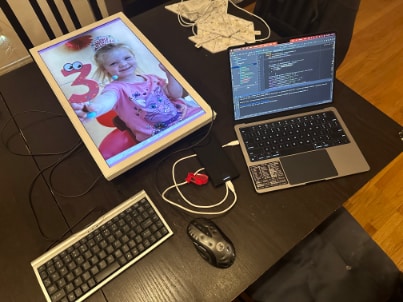
  • One install that needs hands: a keyboard and mouse through an EO1’s OTG port and the ROM’s own browser, or adb on the network for an EO2. After that it is browser-only.
  • Neither frame has a touchscreen. Never did. A pointer appears in exactly one step, ever.
  • Immich is optional, and it is something you run. A frame fed by its own uploads needs nothing but the frame.
  • The LAN page is open plain HTTP with no login, by design: treat your network as the perimeter.
A lit EO1 lying flat on a table showing a child's birthday photo, beside an open laptop, a keyboard and a mouse.
The install, once.

Under the skin

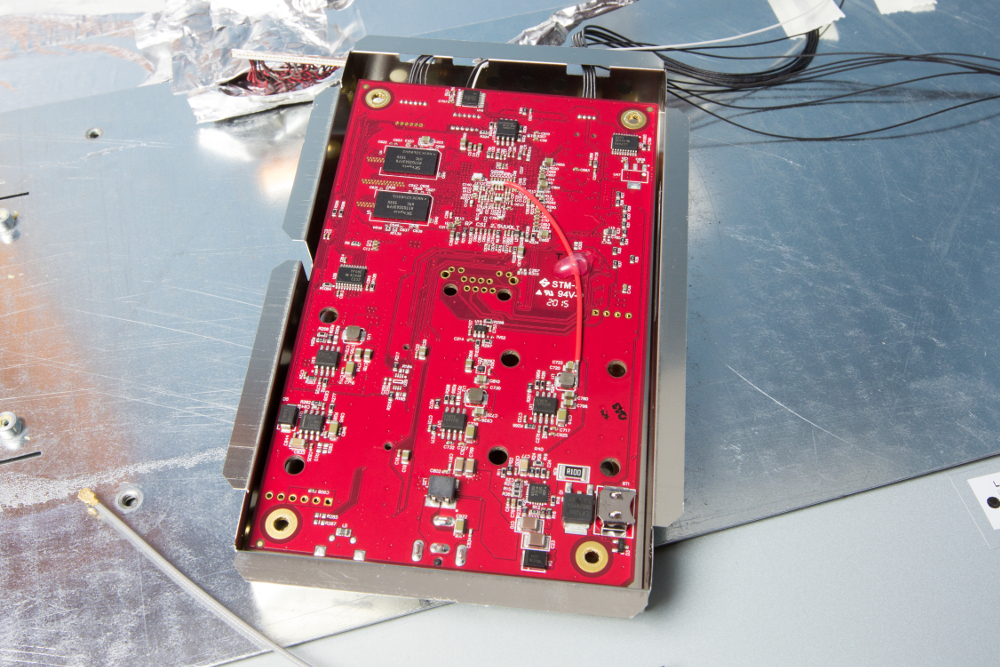
The frame's logic board photographed from below, shielding removed, connectors and flash storage visible.
A board from 2015 that still has a future.
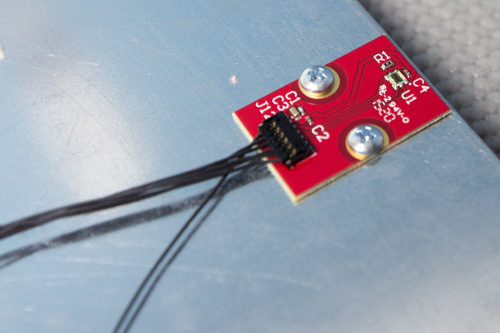
Macro of the small red ambient-light sensor board screwed to brushed metal, with four thin wires leaving frame.
The light sensor EO1 has and EO2 does not.

The documentation

This page is a card, not the manual. The repository’s markdown files are the authority and are kept current; read them where they live.

  1. 01 Installing the APKdocs/SETUP.md Getting it onto the board once — two frames, two quite different routes, and the single step that needs a keyboard. →
  2. 02 The frame’s LAN web serverdocs/WEBSERVER.md Every route on the page the frame serves itself, and exactly what gates each one. →
  3. 03 Updating a framedocs/UPDATING.md Self-update over plain HTTP, the four verification gates, headless install, and publishing a build. →
  4. 04 TLS trust on a 2013 storedocs/TRUST.md Why a current certificate fails on this hardware, the four gates that decide it, and which one you tripped. →
  5. 05 TsPlayer playbackdocs/TSPLAYER.md Amlogic video, why ExoPlayer is forbidden on this SoC, the failure ladder, and a watchdog that counts painted frames. →
  6. 06 EO2 capabilitiesdocs/EO2-CAPABILITIES.md The measured evidence behind the EO1/EO2 parity table — sensors, buttons, ports, what each board actually has. →
  7. 07 EO1 hardware specificationsEO1-specs.md Dimensions, panel, lifetime, and the teardown the photographs here came from. →